

Latest Version
Version
2.1.26031351
2.1.26031351
Update
April 17, 2026
April 17, 2026
Developer
Samsung Electronics Co., Ltd.
Samsung Electronics Co., Ltd.
Categories
Tools
Tools
Platforms
Android
Android
Downloads
0
0
License
Free
Free
Package Name
com.samsung.accessory.fridaymgr
com.samsung.accessory.fridaymgr
Report
Report a Problem
Report a Problem
More About Galaxy Buds Manager
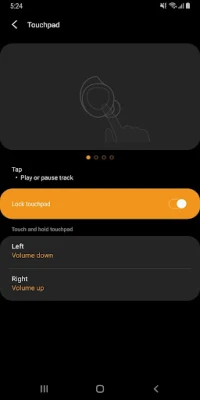
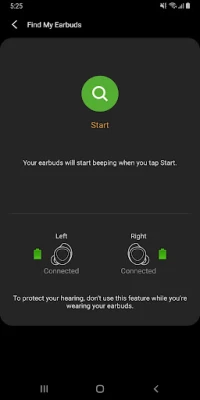
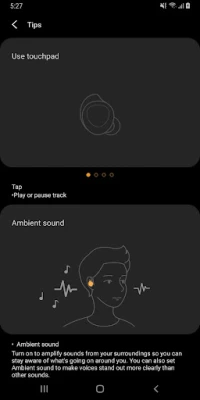
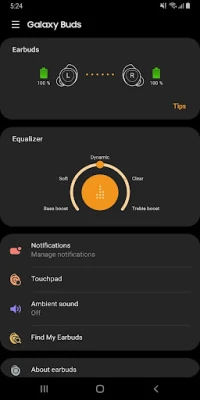
The Galaxy Buds Manager allows you to use features such as device settings and status view when connected to a Galaxy Buds device.
This application does not work alone because this is a component of the Galaxy Wearable application.
The Galaxy Wearable application has to be installed first for the Galaxy Buds Manager application to operate normally.
※ Please allow the permissions of the Galaxy Buds Manager in Android Settings to use all the features in Android 6.0 or later.
Settings > Applications > Application manager > Galaxy Buds Manager > Permissions
※ Access permission information
The following permissions are required for the app service. The basic features of the service can be used, even if optional permissions aren't granted.
[Required Permissions]
- Nearby devices : Purpose for confirming to search Buds Devices
[Optional Permissions]
- Phone : Purpose for confirming Contacts information for voice notification function
- Contacts : Purpose for confirming Contacts information for voice notification function
- SMS: Purpose for confirming SMS contents for voice notification
- Calendar : Purpose for checking Calendar information for using voice notification function
- Call logs : Purpose for confirming Call logs information for voice notification function
- Files and Media: (Android 12) Used to update earbuds software and save log files
- Storage: (Android 11 or lower) Used to update earbuds software and save log files
If your system software version is lower than Android 6.0, please update the software to configure App permissions.
Previously allowed permissions can be reset on Apps menu in device settings after software update.
The Galaxy Wearable application has to be installed first for the Galaxy Buds Manager application to operate normally.
※ Please allow the permissions of the Galaxy Buds Manager in Android Settings to use all the features in Android 6.0 or later.
Settings > Applications > Application manager > Galaxy Buds Manager > Permissions
※ Access permission information
The following permissions are required for the app service. The basic features of the service can be used, even if optional permissions aren't granted.
[Required Permissions]
- Nearby devices : Purpose for confirming to search Buds Devices
[Optional Permissions]
- Phone : Purpose for confirming Contacts information for voice notification function
- Contacts : Purpose for confirming Contacts information for voice notification function
- SMS: Purpose for confirming SMS contents for voice notification
- Calendar : Purpose for checking Calendar information for using voice notification function
- Call logs : Purpose for confirming Call logs information for voice notification function
- Files and Media: (Android 12) Used to update earbuds software and save log files
- Storage: (Android 11 or lower) Used to update earbuds software and save log files
If your system software version is lower than Android 6.0, please update the software to configure App permissions.
Previously allowed permissions can be reset on Apps menu in device settings after software update.
Rate the App
Add Comment & Review
User Reviews
Based on 0 reviews
No reviews added yet.
Comments will not be approved to be posted if they are SPAM, abusive, off-topic, use profanity, contain a personal attack, or promote hate of any kind.















More »

Popular Apps

MoMo PSB NGMTN Nigeria Communications Plc

Chipper CashCritical Ideas, Inc.

Text Free: Call & Texting AppPinger, Inc

WeverseWEVERSE COMPANY Inc.

C-RAM CIWS simulatorAnti Air Gun, Air Defense Game

Freestyle Motocross Skill 3DTop Dirt bike Motocross 3D

Now Thats TVNow Thats TV LLC

Zombeast: Zombie ShooterSurvive the Zombie Apocalypse!

Talkatone: Texting & CallingTalkatone, Llc

Learn to Read: Reading.comTeaching.com