

Latest Version
Update
April 28, 2026
April 28, 2026
Developer
Hassaan Munir
Hassaan Munir
Categories
Entertainment
Entertainment
Platforms
Android
Android
Downloads
0
0
License
Free
Free
Package Name
com.hassaan.prankcallapp
com.hassaan.prankcallapp
Report
Report a Problem
Report a Problem
More About Fake Call - Prank Funny
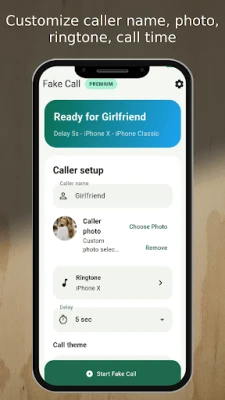
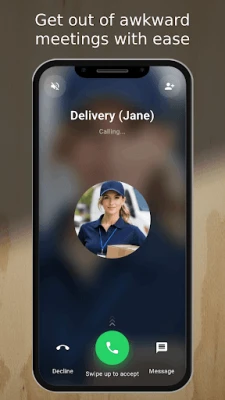
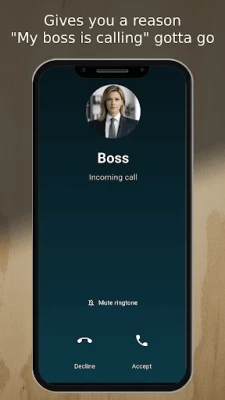
Fake Call - Prank Funny lets you create a realistic fake incoming call for fun, jokes, and lighthearted prank moments. Customize the caller details, choose a ringtone, add voice playback, and set a timer so the fake call arrives at the perfect time.
Whether you want to stage a funny moment with friends or create a believable incoming call screen for entertainment, Fake Call - Prank Funny gives you a quick and easy way to set up your prank call.
How to use Fake Call - Prank Funny:
- Open the app and create your fake call setup
- Enter the caller name
- Add a caller image
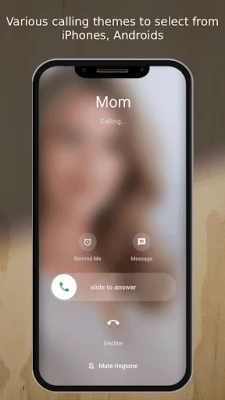
- Choose a call screen style
- Select a ringtone
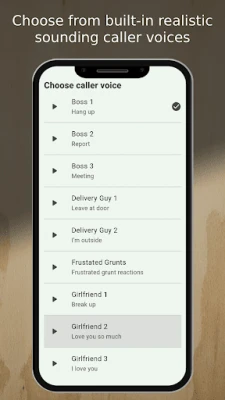
- Add a caller voice or custom audio
- Set when you want the fake incoming call to appear
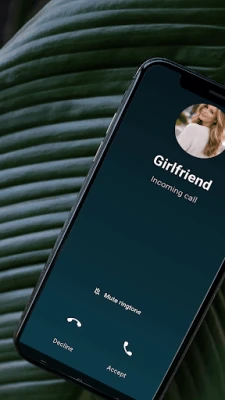
- Receive the prank call and answer or decline it
Fake Call Prank features:
- Create a realistic fake incoming call in just a few taps
- Customize the caller name
- Add a caller photo for a more believable prank
- Choose from different fake call screen styles
- Select a ringtone that matches the prank situation
- Add caller voice playback for a more realistic experience
- Use built in voice clips for different moods and prank scenarios
- Add custom audio for personalized fake calls
- Record your own voice for unique prank call setups
- Set a timer so the fake call happens at the right moment
- Answer or decline the fake call
- Save your preferences on the device for faster future use
- Simple and easy to use interface
Fake Call - Prank Funny is designed for entertainment and fun. It helps you simulate an incoming call experience that looks convincing while staying easy to set up and use.
Disclaimer:
Fake Call - Prank Funny does not provide real incoming calls. It only simulates fake incoming calls for entertainment and prank purposes.
How to use Fake Call - Prank Funny:
- Open the app and create your fake call setup
- Enter the caller name
- Add a caller image
- Choose a call screen style
- Select a ringtone
- Add a caller voice or custom audio
- Set when you want the fake incoming call to appear
- Receive the prank call and answer or decline it
Fake Call Prank features:
- Create a realistic fake incoming call in just a few taps
- Customize the caller name
- Add a caller photo for a more believable prank
- Choose from different fake call screen styles
- Select a ringtone that matches the prank situation
- Add caller voice playback for a more realistic experience
- Use built in voice clips for different moods and prank scenarios
- Add custom audio for personalized fake calls
- Record your own voice for unique prank call setups
- Set a timer so the fake call happens at the right moment
- Answer or decline the fake call
- Save your preferences on the device for faster future use
- Simple and easy to use interface
Fake Call - Prank Funny is designed for entertainment and fun. It helps you simulate an incoming call experience that looks convincing while staying easy to set up and use.
Disclaimer:
Fake Call - Prank Funny does not provide real incoming calls. It only simulates fake incoming calls for entertainment and prank purposes.
Rate the App
Add Comment & Review
User Reviews
Based on 0 reviews
No reviews added yet.
Comments will not be approved to be posted if they are SPAM, abusive, off-topic, use profanity, contain a personal attack, or promote hate of any kind.















More »

Popular Apps

MoMo PSB NGMTN Nigeria Communications Plc

Chipper CashCritical Ideas, Inc.

Text Free: Call & Texting AppPinger, Inc

WeverseWEVERSE COMPANY Inc.

C-RAM CIWS simulatorAnti Air Gun, Air Defense Game

Freestyle Motocross Skill 3DTop Dirt bike Motocross 3D

Now Thats TVNow Thats TV LLC

Zombeast: Zombie ShooterSurvive the Zombie Apocalypse!

Talkatone: Texting & CallingTalkatone, Llc

Learn to Read: Reading.comTeaching.com