
Latest Version
Version
10
10
Update
October 16, 2025
October 16, 2025
Developer
ClassLink
ClassLink
Categories
Tools
Tools
Platforms
Android
Android
Downloads
0
0
License
Free
Free
Package Name
com.classlink.authenticator
com.classlink.authenticator
Report
Report a Problem
Report a Problem
More About ClassLink Remote Login
ClassLink Remote Login is designed for anyone who wants to magically login to ClassLink from their mobile device, either for themselves, or for all the kids in their classroom.
With ClassLink Remote Login, you don’t have to type your username and password into the ClassLink signon screen. It’s easy and has a few benefits. For example, if you are somewhere using a public computer and prefer not to enter your username and password on a computer you don’t know, use ClassLink Remote Login. Also, if you are a teacher in a younger classroom and your students forget their logins, you can use ClassLink Remote Login to sign them in.
PLEASE NOTE… The following is required for this app to work:
Your school or organization must have ClassLink.
To use ClassLink Remote Login:
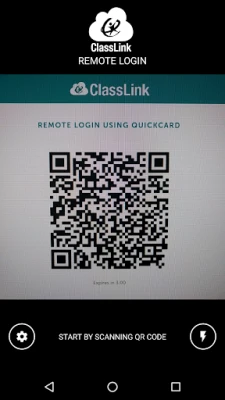
Go to your ClassLink login page and click ‘Remote Login’ near the bottom center. A QR code will appear on the screen identifying that specific computer.
Launch ClassLink Remote Login on your phone and use your camera to take a picture of the QR Code.
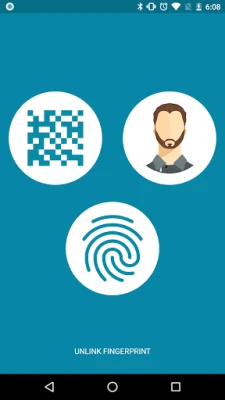
On your phone, select the person you want to sign in, either yourself, or maybe one of the kids in your classroom.
Watch as your computer magically signs you in directly to ClassLink.
PLEASE NOTE… The following is required for this app to work:
Your school or organization must have ClassLink.
To use ClassLink Remote Login:
Go to your ClassLink login page and click ‘Remote Login’ near the bottom center. A QR code will appear on the screen identifying that specific computer.
Launch ClassLink Remote Login on your phone and use your camera to take a picture of the QR Code.
On your phone, select the person you want to sign in, either yourself, or maybe one of the kids in your classroom.
Watch as your computer magically signs you in directly to ClassLink.
Rate the App
Add Comment & Review
User Reviews
Based on 0 reviews
No reviews added yet.
Comments will not be approved to be posted if they are SPAM, abusive, off-topic, use profanity, contain a personal attack, or promote hate of any kind.














More »

Popular Apps

MoMo PSB NGMTN Nigeria Communications Plc

Chipper CashCritical Ideas, Inc.

Text Free: Call & Texting AppPinger, Inc

WeverseWEVERSE COMPANY Inc.

C-RAM CIWS simulatorAnti Air Gun, Air Defense Game

Freestyle Motocross Skill 3DTop Dirt bike Motocross 3D

Now Thats TVNow Thats TV LLC

Zombeast: Zombie ShooterSurvive the Zombie Apocalypse!

Talkatone: Texting & CallingTalkatone, Llc

Learn to Read: Reading.comTeaching.com